Check the source MP3
A clear mono or stereo recording is enough. Very low bitrates and aggressive noise reduction can remove speech detail.
MP3 to text
Drop an MP3 from a voice recorder, podcast, meeting or phone. EarScribe decodes it locally, detects the spoken language, and creates text you can verify against the original audio.
Review the transcript before you export
A clear mono or stereo recording is enough. Very low bitrates and aggressive noise reduction can remove speech detail.
The first run downloads a speech model. Later recordings can reuse the cached model on the same browser.
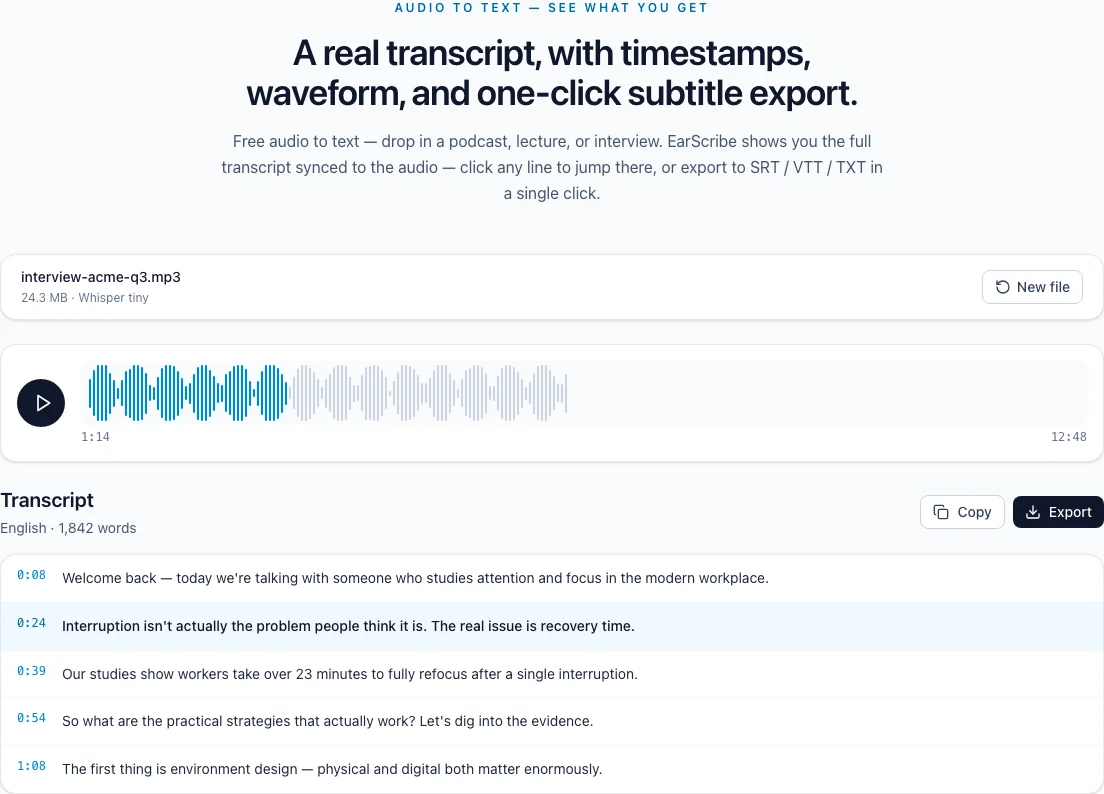
Search for names, dates, prices and technical terms, then click the timestamp to hear the source before exporting.
mp3 to text converter free
When the file in front of you is an MP3, you should not have to convert it to another format before you can read it. EarScribe keeps the original file, creates timestamped text, and gives you a review path before export.
A voice memo, podcast, meeting recording or recorder file can be selected as-is. The browser decodes the MP3 locally and the transcription model detects the spoken language from the recording.
Converting an already-compressed MP3 to WAV cannot restore detail that was removed during compression. If the recording has long silence, trimming it first usually helps memory use more than changing its container.
Search for names, dates, prices and technical terms, then click the timestamp beside the match. You can listen to the source and edit the exact segment instead of scanning the entire recording again.
A higher bitrate is useful only when it preserves clearer speech. Microphone distance, background noise and people speaking at the same time often matter more.
Copy or export TXT for notes and research. Choose SRT or VTT when the transcript will be loaded into a video editor or web player. The same reviewed segments keep their timestamps in each format.
Keep the original MP3 until the text and subtitles have been checked. It is the source you need when a word, number or name looks uncertain later.
Review the transcript before you export
Do not overwrite the source file while you prepare a cleaned or trimmed copy.
Remove hours of empty room tone before processing when the file is unusually long.
Use timestamps to verify names, numbers and phrases that look unusual.
TXT is for reading; SRT and VTT keep timing for captions and web video.
Converting the MP3 to WAV first does not restore detail already lost during compression.
If a recording contains hours of silence, trim it before transcription to reduce memory use.
Keep the original MP3 until the transcript and subtitles have been reviewed.
Yes. The selected MP3 is decoded and transcribed in the browser rather than sent to an EarScribe server.
Only when it preserves clearer speech. Microphone placement, noise and overlapping speakers usually have a larger effect.
Yes. The timestamped result can be exported as SRT or VTT after you review the cue text.