Choose the lesson recording
Use the original recording when possible. Recordings captured close to the lecturer generally transcribe better than distant room audio.
Lecture transcription
Convert a recorded lecture, seminar, webinar or revision session into text you can search and revisit. Use timestamps to hear the lecturer's explanation, correct course terminology, and export clean notes.
Review the transcript before you export
Use the original recording when possible. Recordings captured close to the lecturer generally transcribe better than distant room audio.
Find the topic, formula or term in the transcript, then replay the surrounding explanation from its timestamp.
Correct terminology and remove irrelevant sections before exporting text to your notes or reference system.
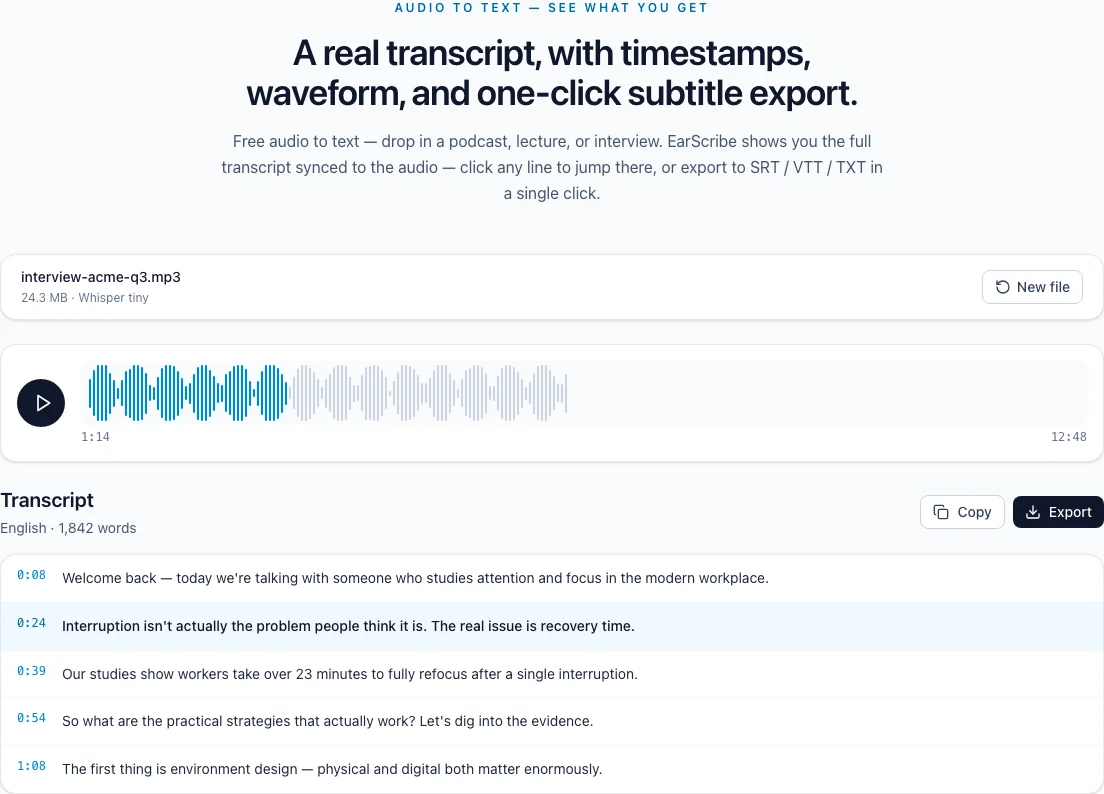
lecture transcription to notes
A lecture transcript is most useful when it helps you return to an explanation. Search a term, replay the surrounding seconds, and then shape the corrected text into notes that match how you study.
After transcription, search for a key term, name or definition. The timestamp takes you back to the explanation, which is more useful than rereading a long unstructured block of text.
For long lectures, choose a model that your device can handle and remove long silent sections when possible. Practical processing length is determined by browser memory, not by the word unlimited alone.
Replay formulas, names and specialist vocabulary before adding them to notes. Speech recognition cannot see slides, board work, diagrams or gestures, so add those visual details yourself.
Use the transcript as a study aid, not as a substitute for the original class or the instructor's materials. Keeping the source recording makes later checking much faster.
TXT works well for a clean outline. JSON preserves segment timing for a personal study workflow, while SRT/VTT is useful when the lecture is being reviewed alongside a video player.
Edit the text in place before exporting so the notes, timestamps and copied excerpts all use the same corrected version.
Review the transcript before you export
Use a concept or proper noun to find the relevant explanation quickly.
Listen to the surrounding context before copying a definition or claim.
Write in formulas, diagrams, slide references and board content yourself.
Keep the recording and course materials beside the exported notes for later checks.
A transcript can miss diagrams, equations and gestures that were only visible on screen or a board.
Keep timestamps when an explanation depends on tone, emphasis or visual context.
Check your institution's recording and sharing policy before transcribing a class.
It may work on capable devices, but browser memory is the practical limit. Splitting long recordings is more reliable on phones and low-memory computers.
Whisper can recognize many terms, but names, formulas and specialist vocabulary still need review. Editing is available in the result workspace.
Yes. After checking the text and timing, export SRT or VTT and add it to the video platform or editor.