Generate timestamped cues
Transcribe the recording and keep the model-generated timing for each segment.
Audio to SRT subtitle generator
Create SRT or VTT subtitles from MP3, WAV, M4A and other audio. EarScribe keeps Whisper timestamps, flags common readability problems, and lets you improve line breaks before export.
Review the transcript before you export
Transcribe the recording and keep the model-generated timing for each segment.
Review cues that are too long, unusually fast, repeated, empty or overlapping.
Improve line breaks, listen through important sections, then export SRT or VTT for your editor or video platform.
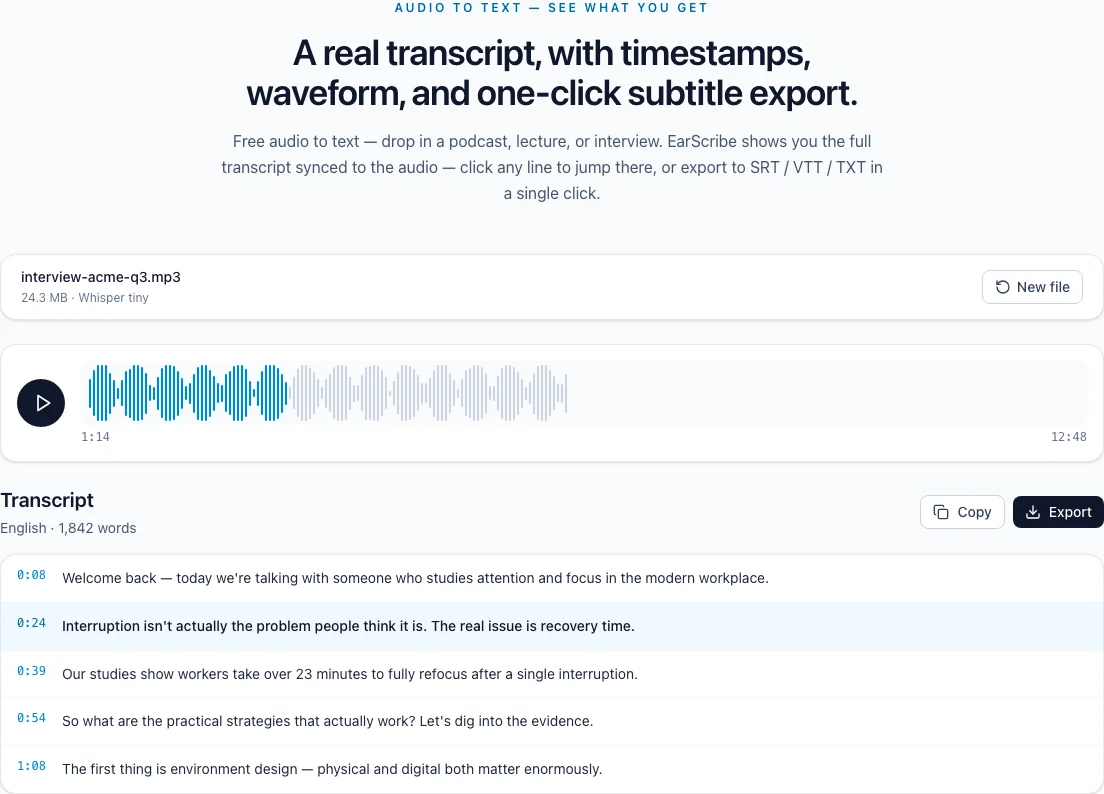
audio to SRT converter
Generating subtitle cues is only the first half of the job. A publishable SRT needs sensible line breaks, readable timing and a final listen-through for words the model could not know from audio alone.
Select MP3, WAV, M4A or another supported audio file. EarScribe keeps the timestamped segments so you can work from the same source for SRT, VTT, TXT or JSON.
This page creates subtitle files from audio. It does not burn captions into a video or replace a video editor, so you can take the file into the tool that controls your final picture and style.
Review cues that are too long, too fast, empty, repeated or overlapping. These checks catch the problems that make automatically generated subtitles hard to follow even when the words are correct.
Click a cue to listen to the original audio, edit the text, and check the result again. A short final watch-through is still the right standard for important videos.
SRT is widely accepted by editors and video platforms. VTT is designed for web video and can carry additional browser caption settings. Export TXT when timing is not needed.
Correct the transcript once in the workspace before exporting. That keeps the text and timing aligned across every format you download.
Review the transcript before you export
Split or edit cues that take too long to read on a normal screen.
Replay unusually fast cues and shorten wording only when the meaning stays intact.
Look for empty, repeated or overlapping cues before delivery.
Listen to names, numbers and technical terms instead of trusting a plausible spelling.
Two short lines are usually easier to read than one long line.
Fast dialogue may need shorter wording or more carefully split cues.
Names, numbers and on-screen terminology deserve a final manual check.
Both store timed captions. SRT is widely accepted by video editors and platforms; VTT is designed for web video and supports additional web caption features.
It can improve line breaks and flag common problems, but important videos still need a final watch-through for wording and timing.
Yes. Edit the timestamped transcript, return to the subtitle check, and export the updated SRT or VTT.